
Instantly View Selected Properties in Archicad
QuickProp gives you instant access to every property with powerful tools to sort, filter, and modify your selection.
QuickProp gives you instant access to every property with powerful tools to sort, filter, and modify your selection.
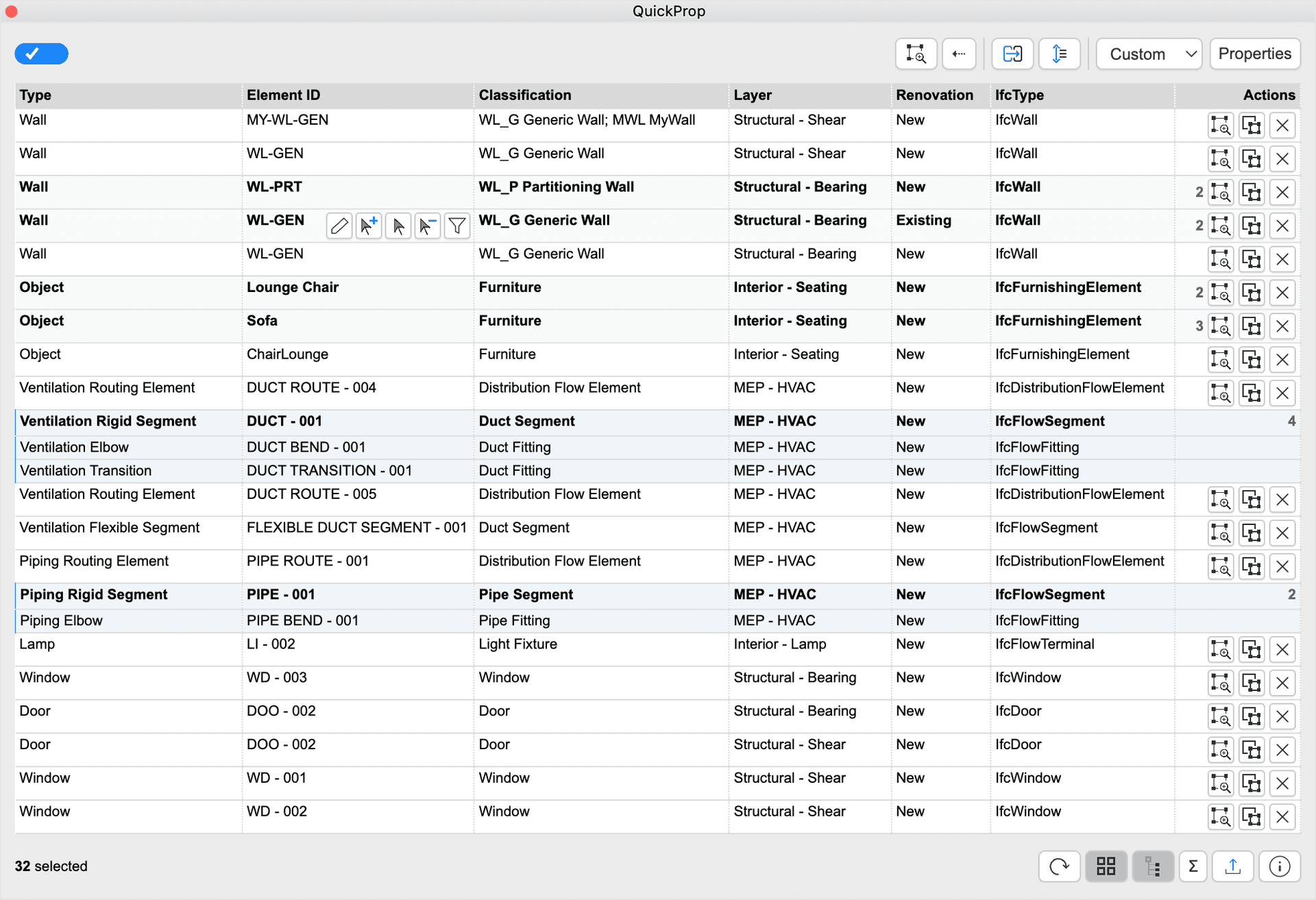
Select any elements in your model. QuickProp instantly shows all their properties in a flexible table.
Toggle the Properties panel and select the properties you want to see, built-in or custom. Use search to find what you need.
Filter and sort to find exactly what you need, even in large, complex projects. Focus on what matters.
Batch select or deselect elements based on property values directly from within the table cells.
Instantly access and compare only the properties you care about.
Stop clicking through endless dialogs. Get the information you need, when you need it.
Check your model data for inconsistencies and errors.
Tabular view, designed for multi-element and multi-property reviewing.
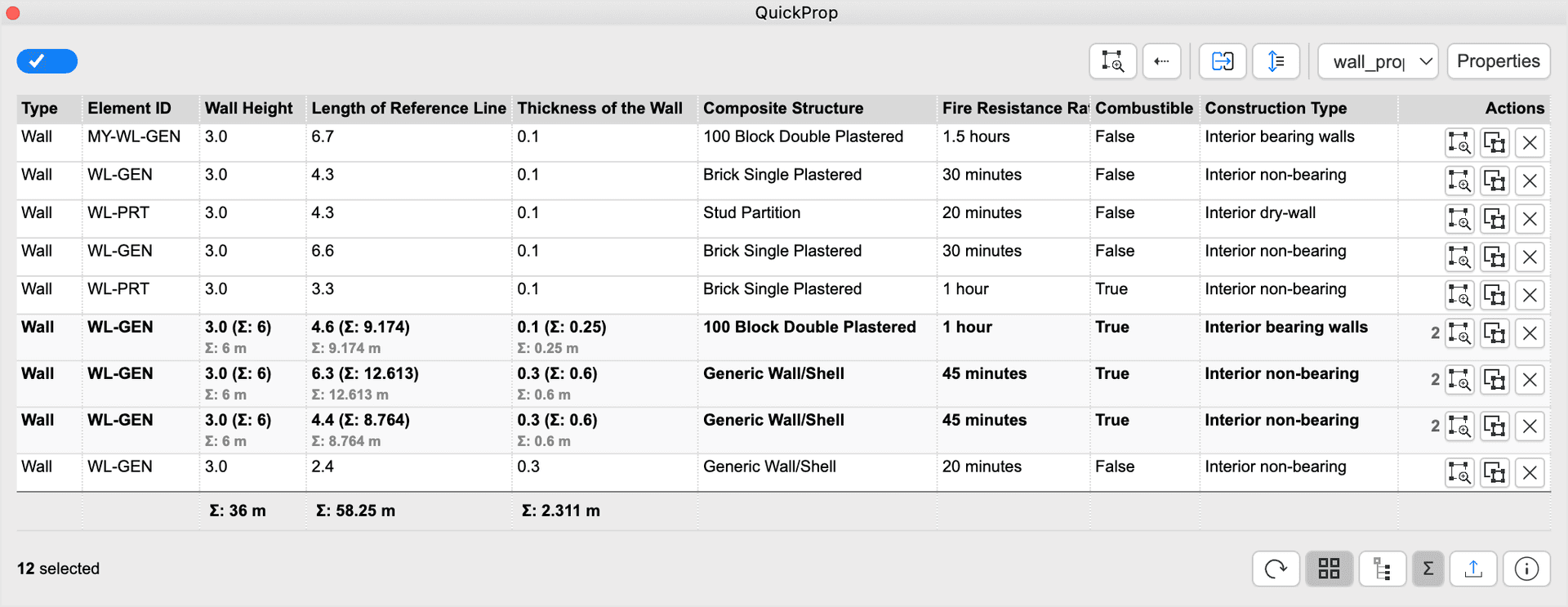
View all properties of selected elements, including built-in, user-defined custom, and critical data for MEP elements.
List the properties for multiple elements and check values for data consistency or errors.
Use table-cell controls to select or deselect elements based on property values.
Save preferred property sets and reuse them across projects for a consistent workflow.
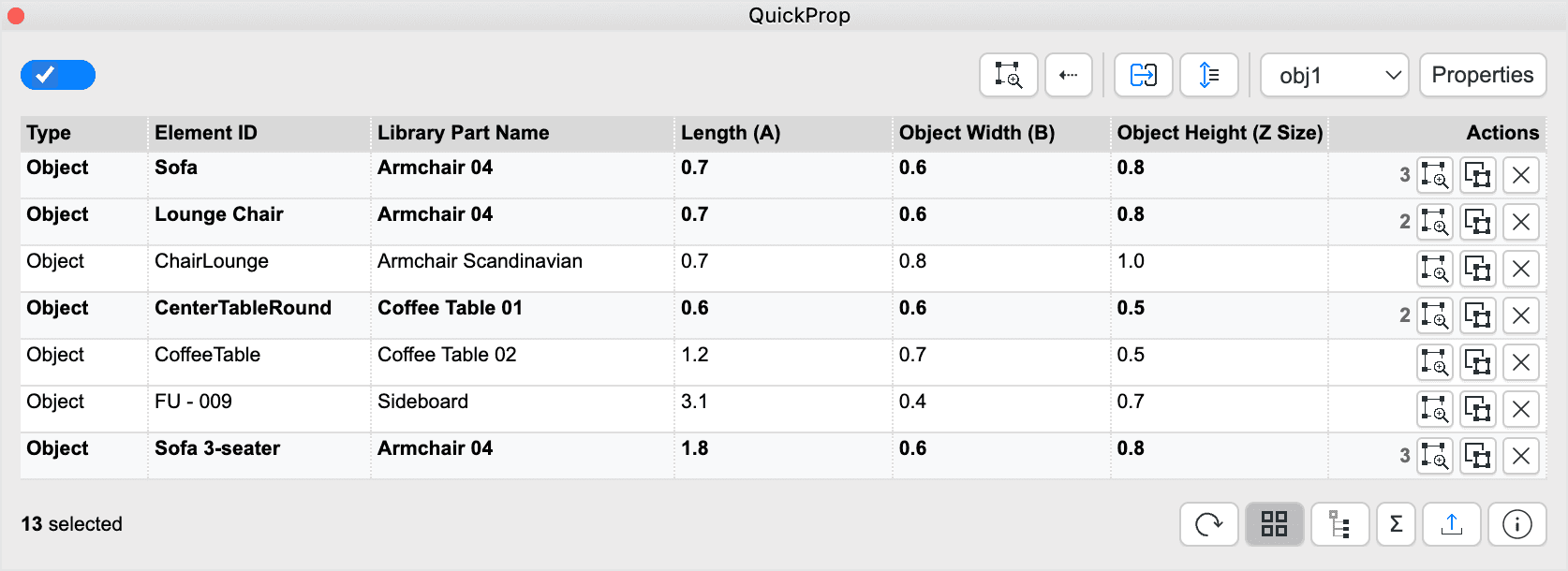
Selected elements are displayed in a clear spreadsheet-like table. Choose the property columns needed for the current task.
Sort and filter your selection by any property, including type, ID, classification, layer, renovation status, and more.
Use intuitive controls and grouped properties for an efficient, personalized view.
A flexible tabular layout keeps the user experience fluid.
A side-by-side look at why QuickProp is the essential palette for power users and BIM managers.
Browse our demo videos to see what QuickProp can do.
QuickProp is a multi-purpose add-on that can be adjusted to several different workflows and design stages, and that makes it unique. It can be a filtering tool, a selection tool, a property editing tool, and a BIM checking tool via its live sync capability.
It is like a Swiss Army Knife for Architects.
It is not just an add-on but an upgrade to Archicad as it extends common functionalities with a more direct, faster, and controllable way of handling any kind of element information.
As I always say, the only problem with such productive tools is the fact that you can't live without them once you use them!
Ready to experience the difference? QuickProp is the essential palette for power users who need quick access to their model data.