

Define billable items
Create item rows for finishes, frames, walls, furniture, or any other take-off category your estimate needs.
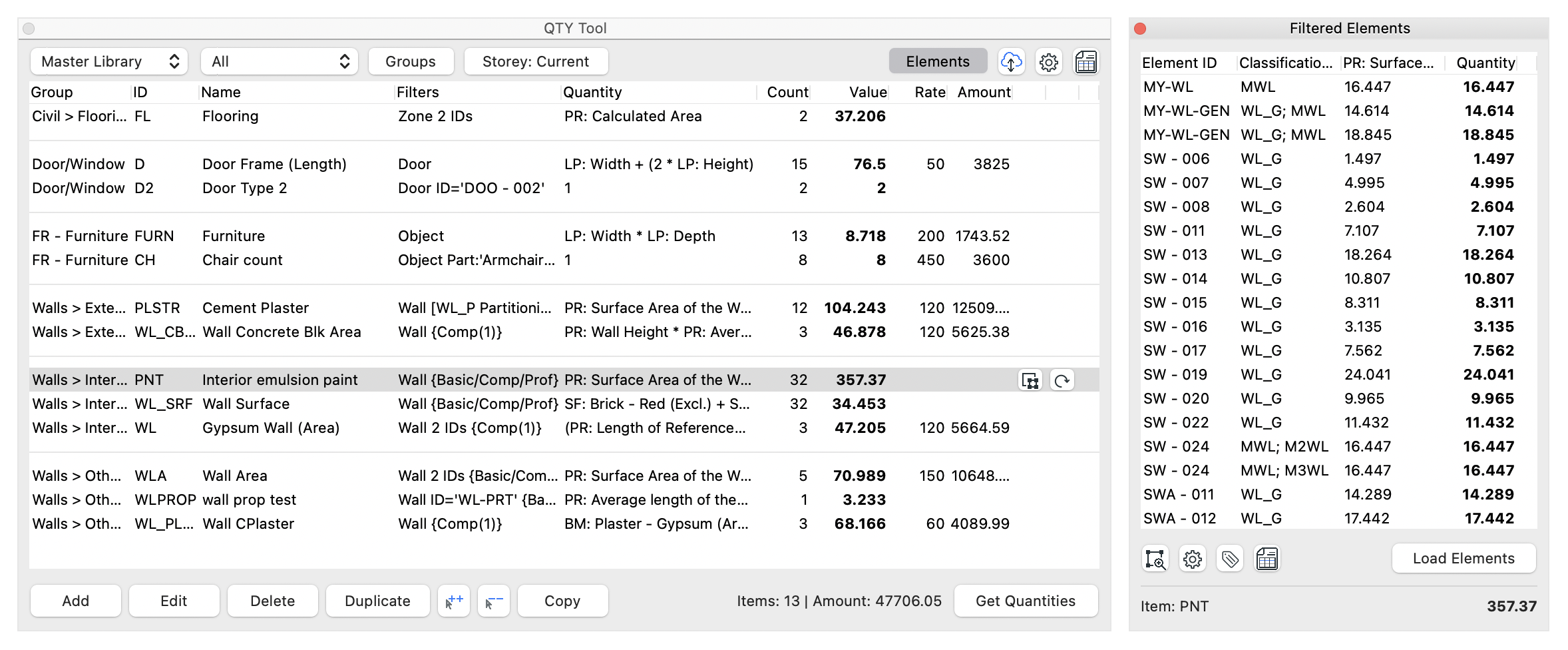
QTY Tool finds the elements that match your item rules and calculates their quantities from Archicad properties and parameters.
How it works
Create item rows for finishes, frames, walls, furniture, or any other take-off category your estimate needs.
Scope each item using element types, IDs, classifications, surfaces, composites, and other Archicad data.
Use properties and parameters in formulas to calculate areas, lengths, counts, rates, and billable amounts.
Model-based quantity take-off
QTY Tool uses your saved item rules to find matching elements in the model and calculate their quantities. Instead of manually collecting values from separate schedules, you define the item, the matching rule, and the quantity formula in one place.
The filtered elements view makes the result auditable by showing the source elements behind a selected item.