

See the stack clearly
Review the colour-coded display stack and drawing sequence of selected elements in a frontmost-first list.
DisplayStack brings display order and intersection information into one palette, helping you understand overlapping elements and reorganize them with confidence.
Display order and intersection information
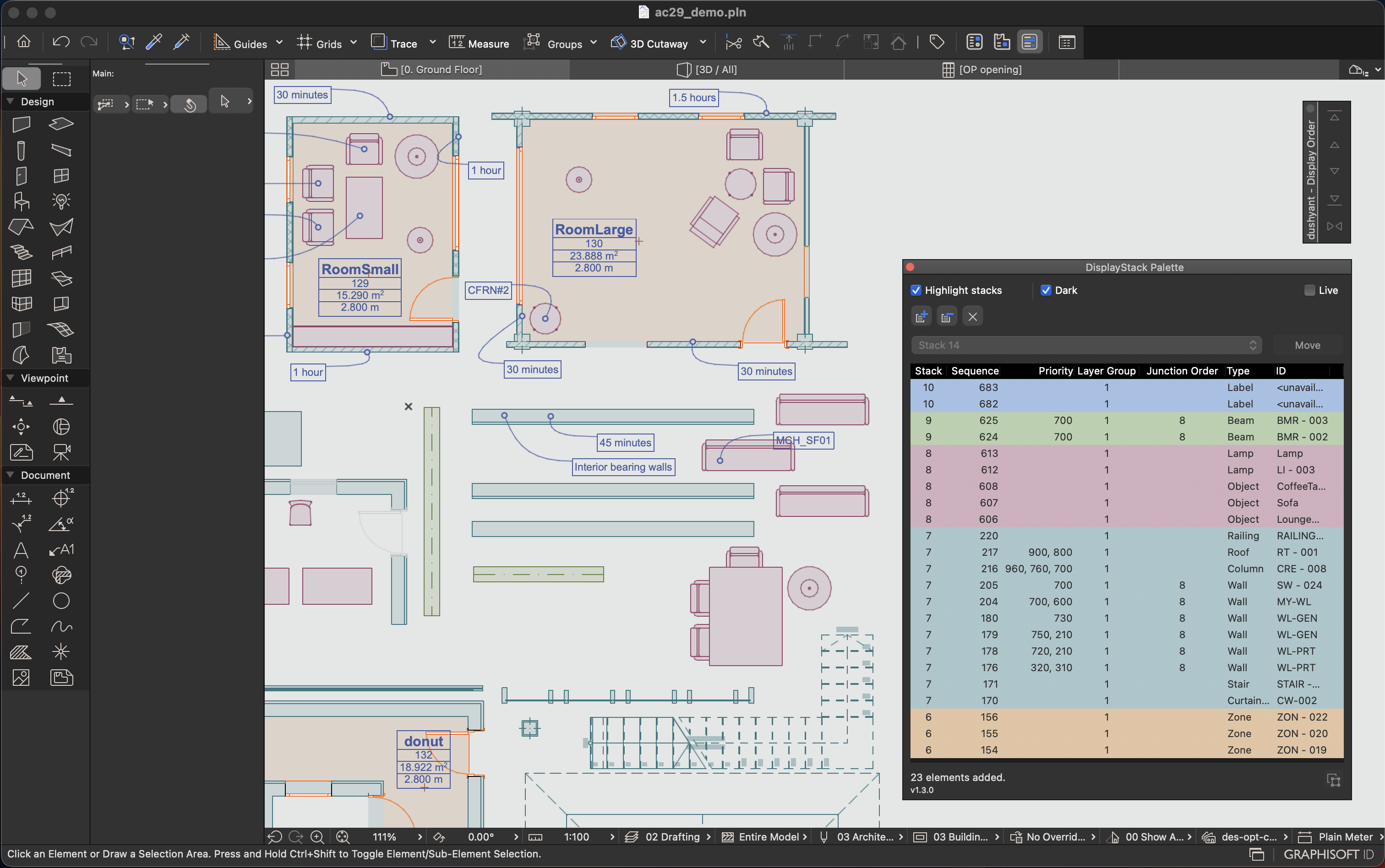
Review the colour-coded display stack and drawing sequence of selected elements in a frontmost-first list.
See Building Material Priority, Layer Intersection Group and the Junction Order of Walls and Beams alongside each applicable element.
Colour-code elements by stack in the Floor Plan or 3D view, with light and dark colour sets for the palette and model highlights.
Move multiple selected elements directly to any display stack while working in the Floor Plan or 3D view.
Use Live mode to follow the current Archicad selection and keep the displayed element information synchronized.
Use Manual mode to collect elements from several selections, compare them together and reorganize selected rows in bulk.
See DisplayStack in action
See Building Material Priority in the palette and move selected elements between display stacks while working in the 3D view.
Review Layer Intersection Group and the Junction Order of Walls and Beams alongside Stack, Sequence and Building Material Priority.
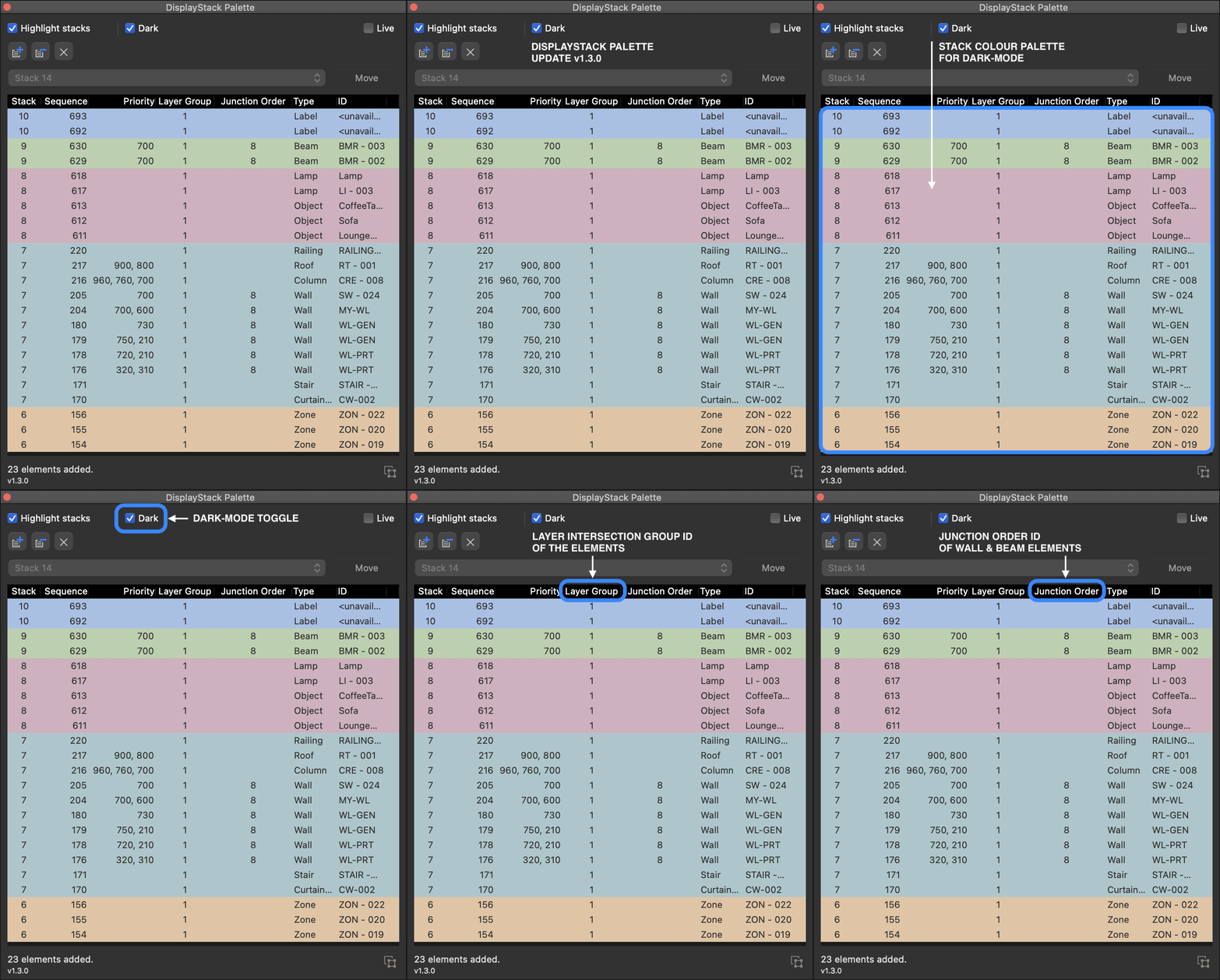
Colour-code elements by display stack while keeping the palette visible beside the Archicad model. Choose the light or dark colour set to suit the working interface.
Live and manual workflows
Display order is easy to change one stack at a time, but it can be difficult to understand how multiple overlapping elements are currently stacked.
Alongside Stack and Sequence, DisplayStack shows Building Material Priority, Layer Intersection Group and Junction Order, bringing useful display and intersection information together in one compact view.
Live mode follows the current Archicad selection. Manual mode builds a custom working list from multiple selections and lets you move selected elements to another display stack - even while identifying them in 3D.
Available for Archicad 26-29 on Windows and macOS.