

DisplayStack now supports custom stack names, colours and element-type filters
Oct 3, 2026 / ONIZU
DisplayStack v1.4.0 adds custom names and colours for all 14 stacks, a stack-colour legend, element-type filtering with subdued highlights, and the option to show or hide palette columns.
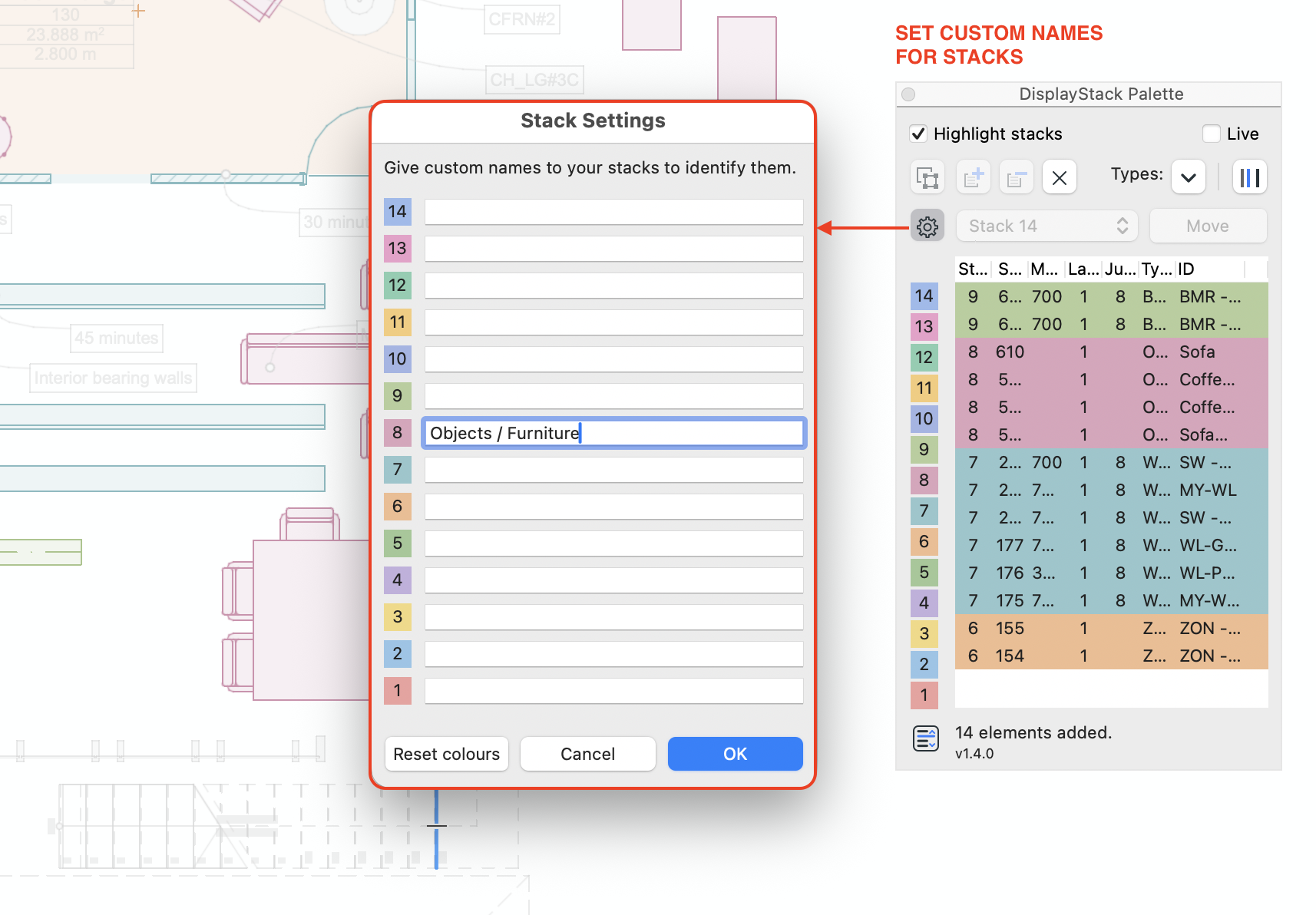
Give each stack a meaningful name
Custom names make it easier to identify stacks according to how you organise display order in your project.
✓ Set custom names for all the display stacks
✓ Meaningful labels make stacks easier to identify and simplify moving elements between them.
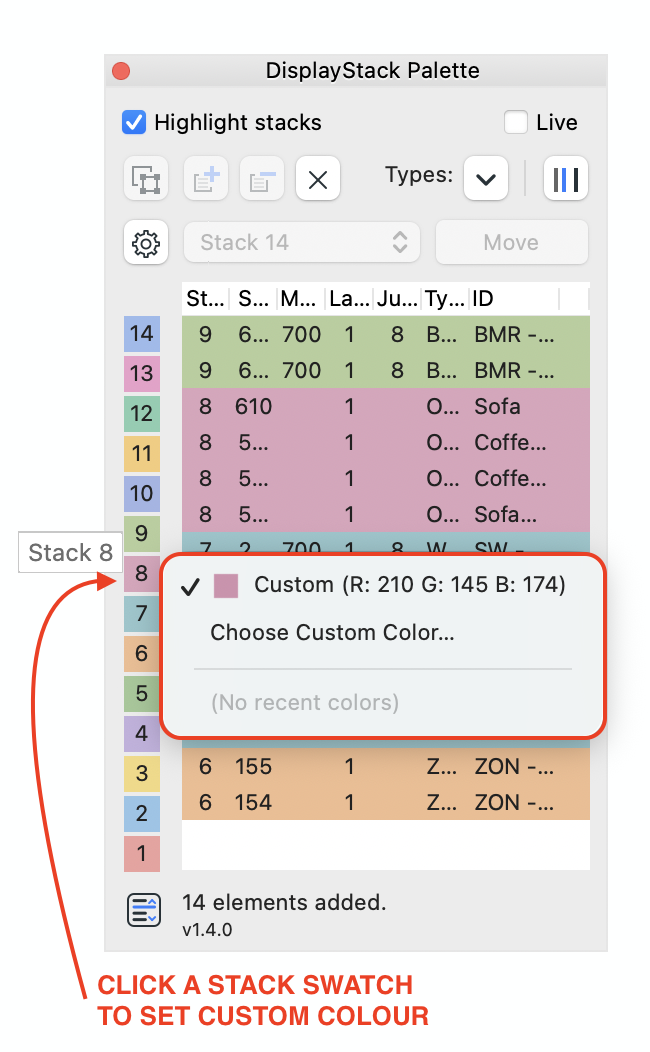
Choose stack colours
A stack-colour legend shows which colour represents each stack. You can customise the colours to achieve the contrast you want when reviewing your model.
✓ Identify each stack using the colour legend
✓ Click a stack swatch to choose a custom colour
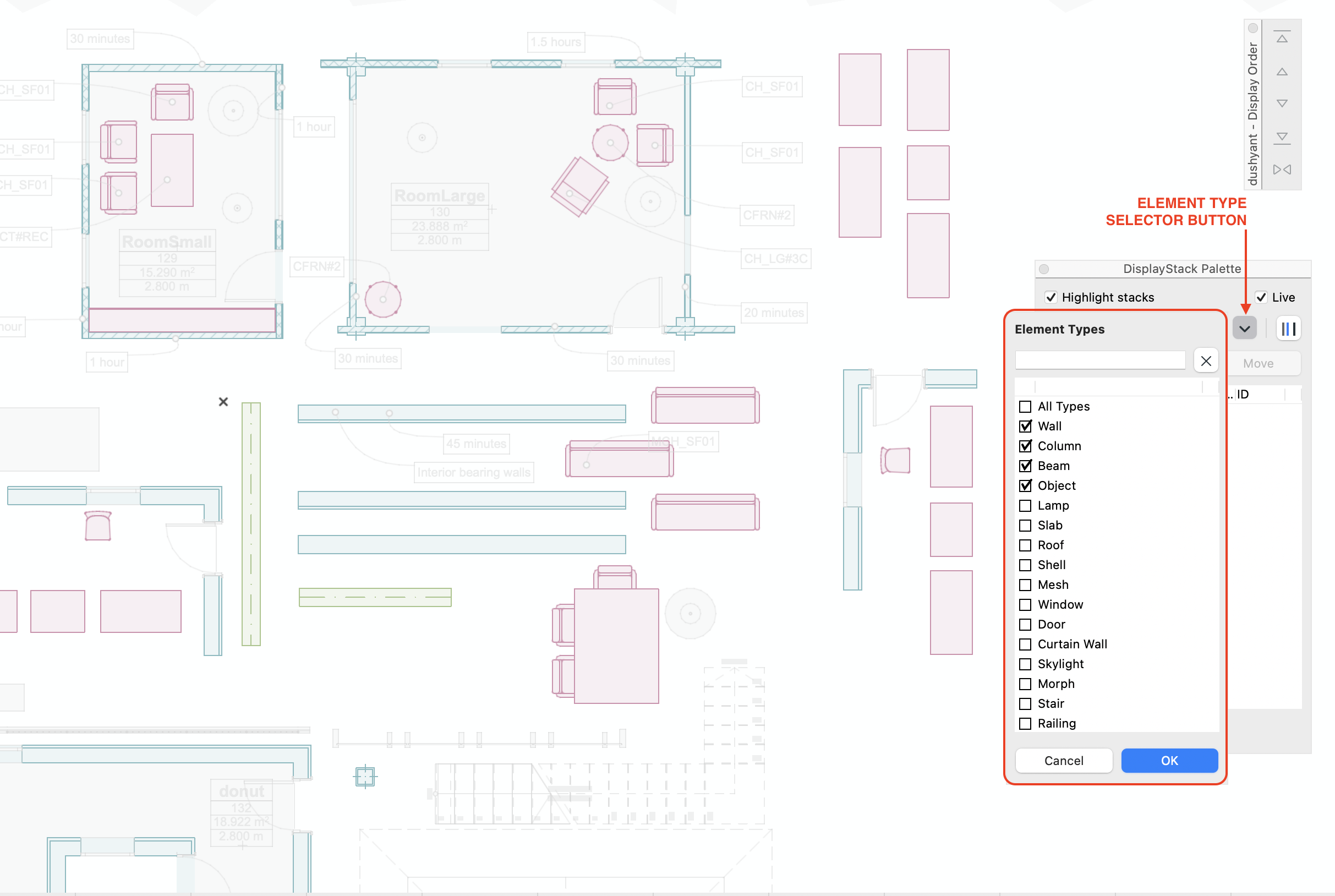
Focus on the element types you need
The type-selector panel lets you filter highlights by element type. Filtered-out types appear in pale grey when highlighted, so they remain visible without competing with the types you are reviewing.
✓ Choose element types from the floating selector
✓ Keep filtered-out types subdued in the background
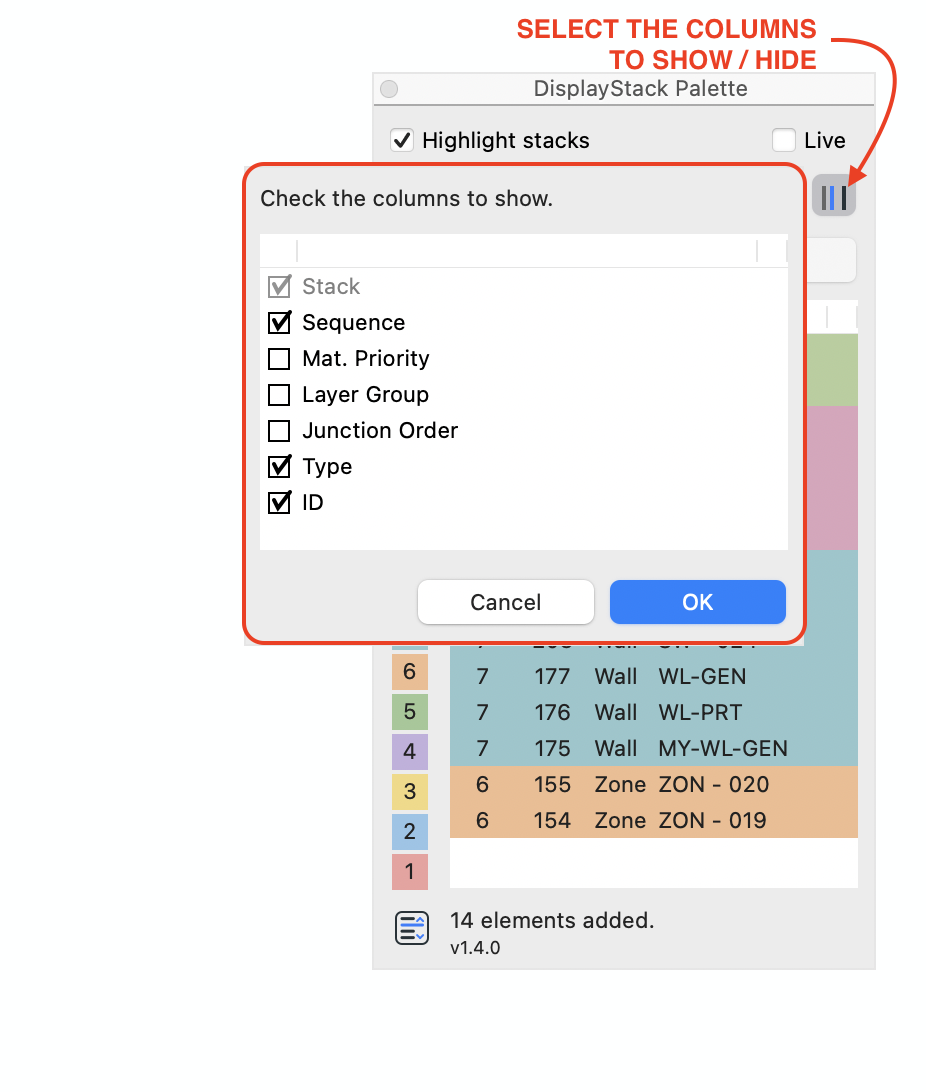
Show or hide palette columns
Choose which columns appear in the table to keep the information you need in view.
✓ Show or hide individual palette columns
DisplayStack v1.4.0 was released for Archicad 26–29 on Windows and macOS.
Visit DisplayStack for details, or log in to the ONIZU portal for downloads and licence access.